

FAQs [Online Salon Logistics]
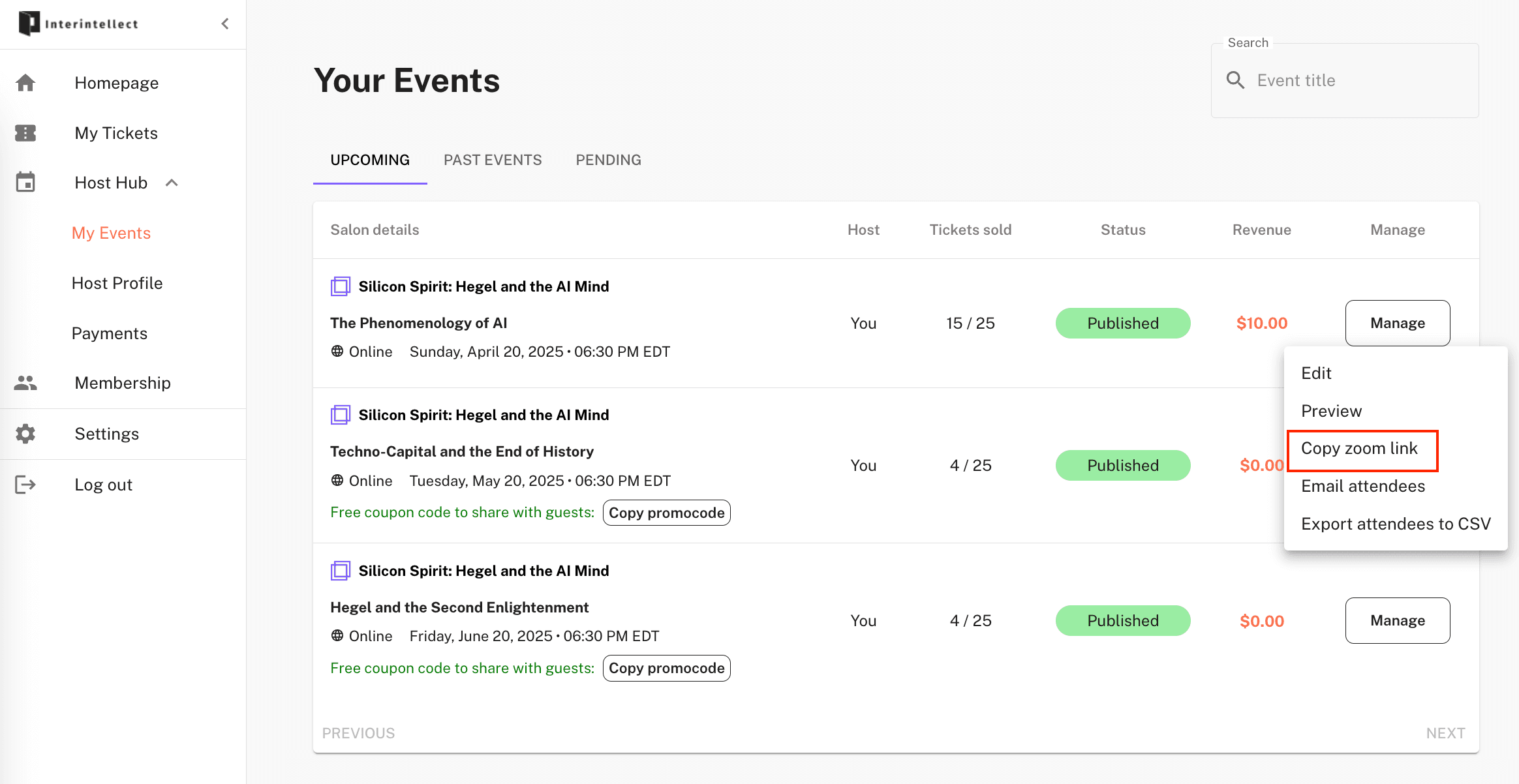
Where can I find the Zoom link to start my salon?
It's available directly in your Event Dashboard here:
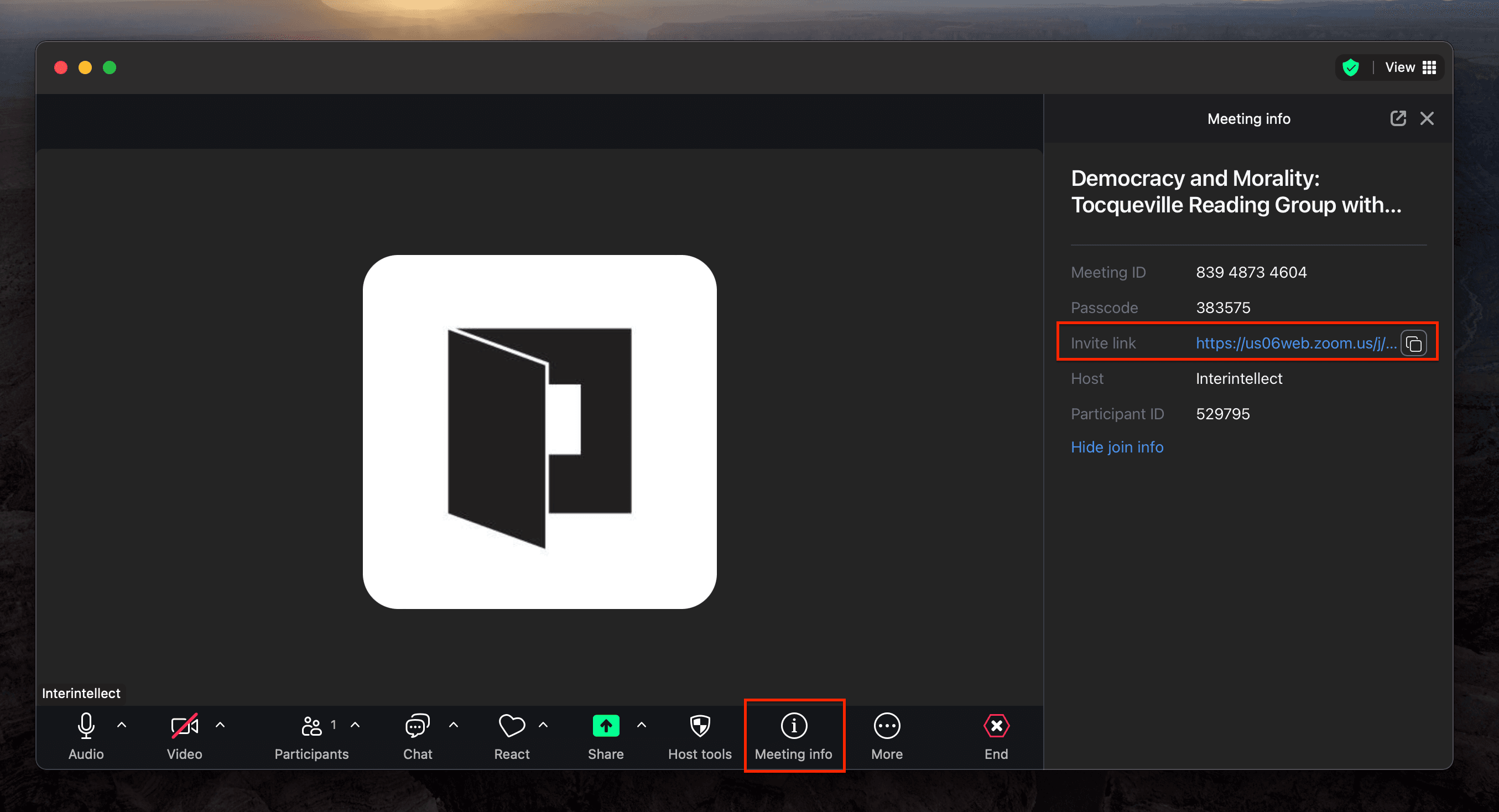
Where can I find the Zoom link for guests to join my salon?
You'll be able to access this link from Zoom after starting your salon.
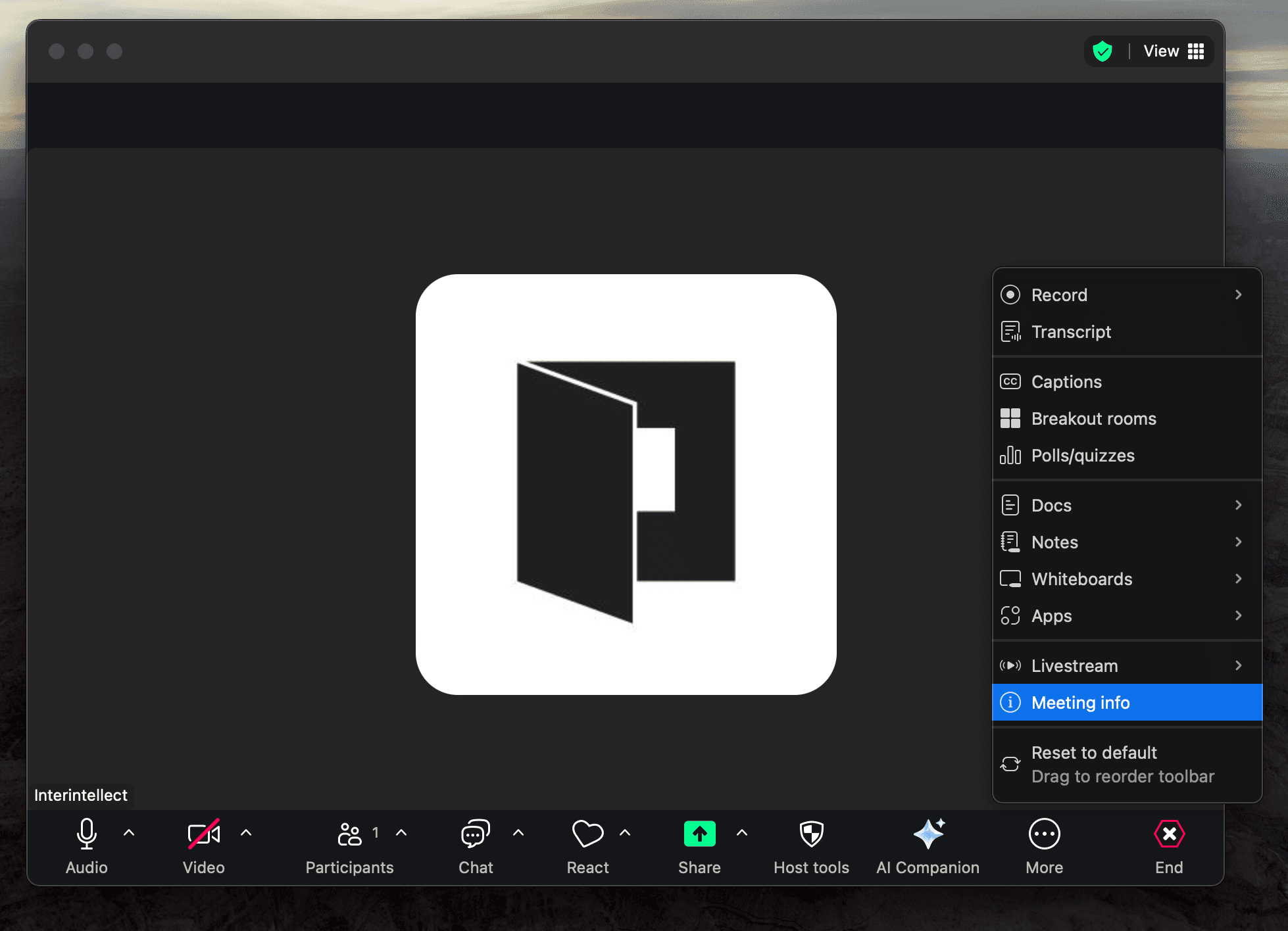
Sometimes the "Meeting info" tab is under "More":
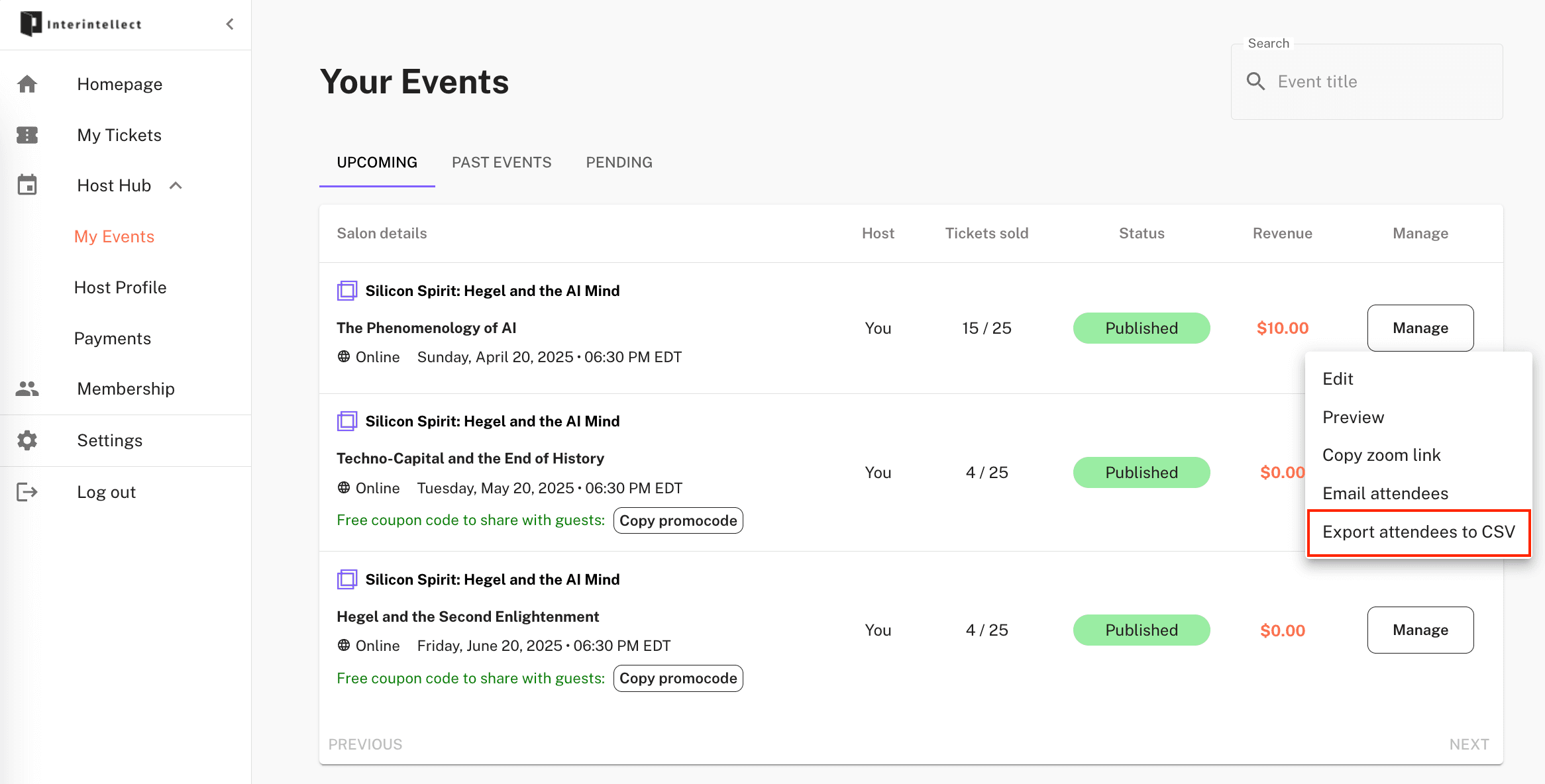
How can I see who's coming to my salon?
You can download a file containing the names of your attendees from your Event Dashboard here:
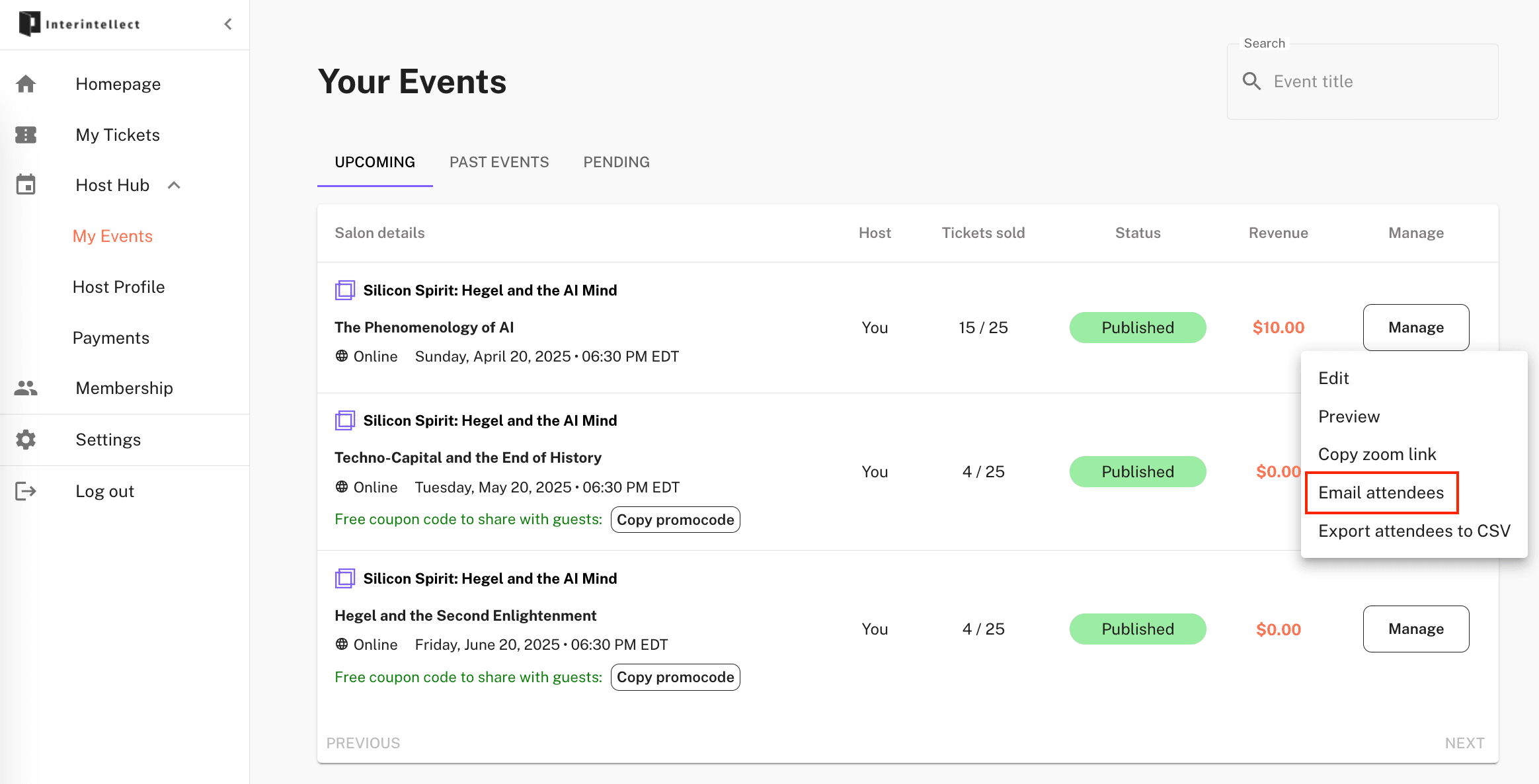
How do I get in touch with my salon attendees?
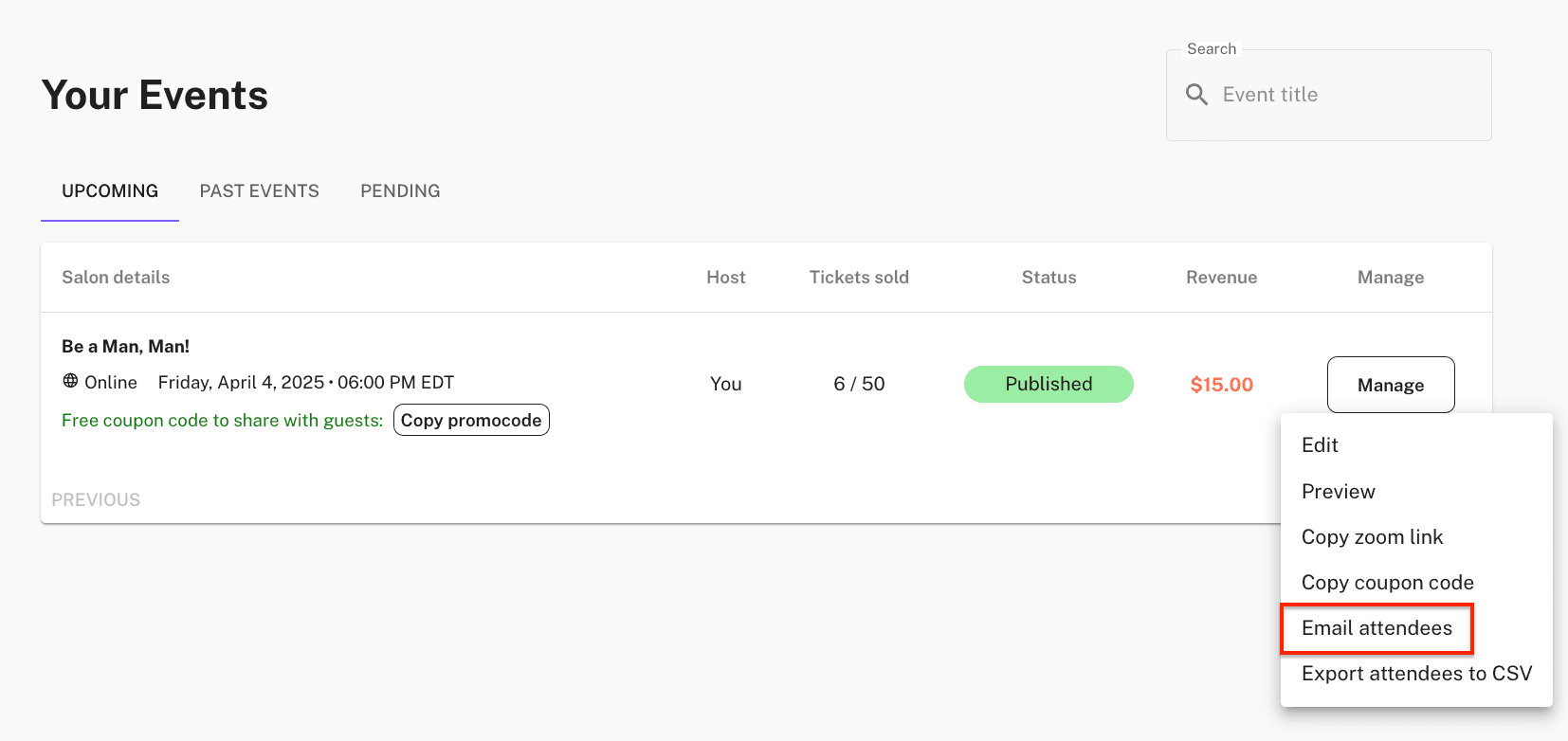
You can email the guests for any of your past or upcoming salons from your Event Dashboard here:
How do I access my salon's free code to share with my friends or paying subscribers?
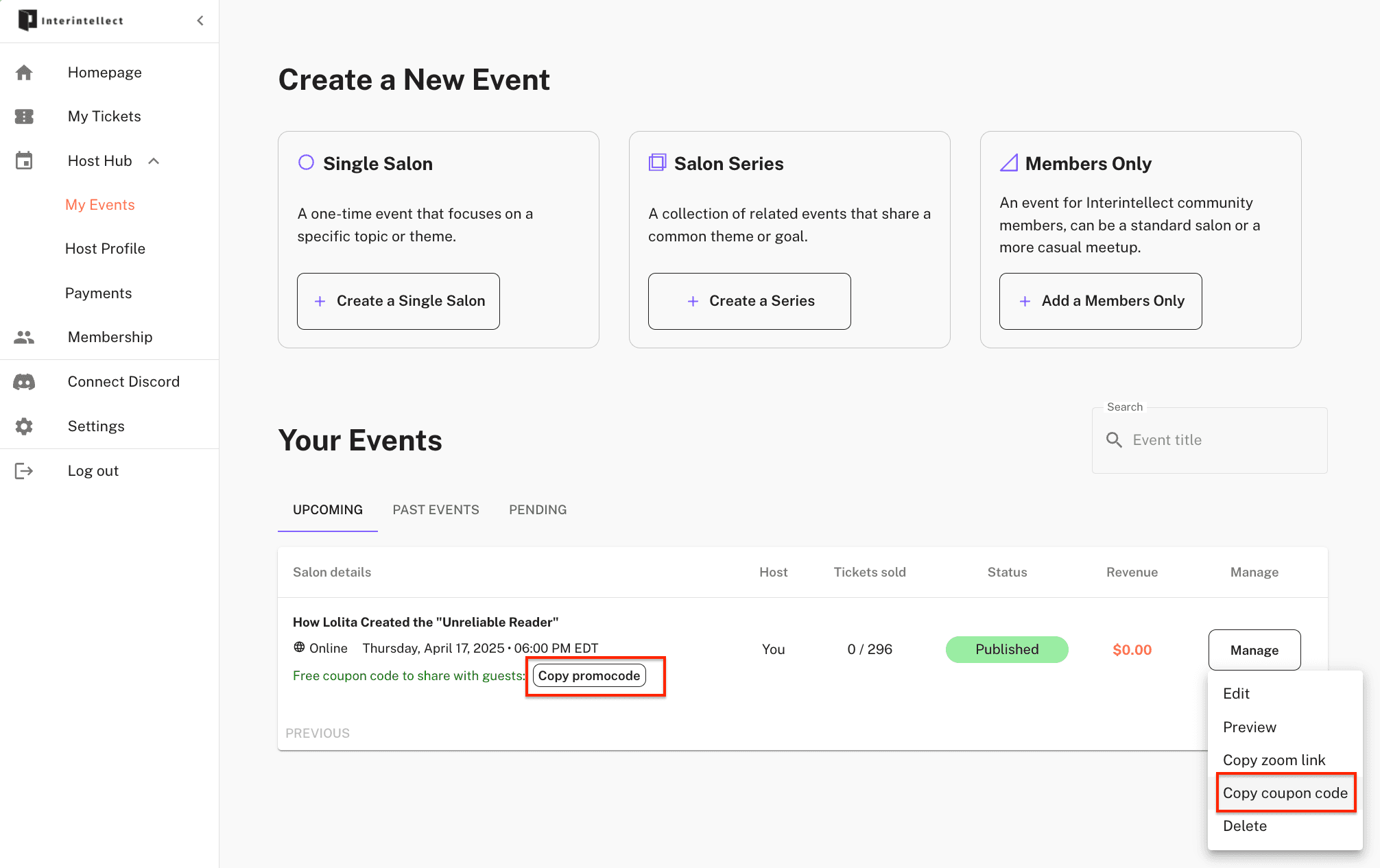
This coupon is automatically generated when your salon is published. You can copy it from your Event Dashboard from the two places shown in the screenshot below.
What if I need to reschedule my salon?
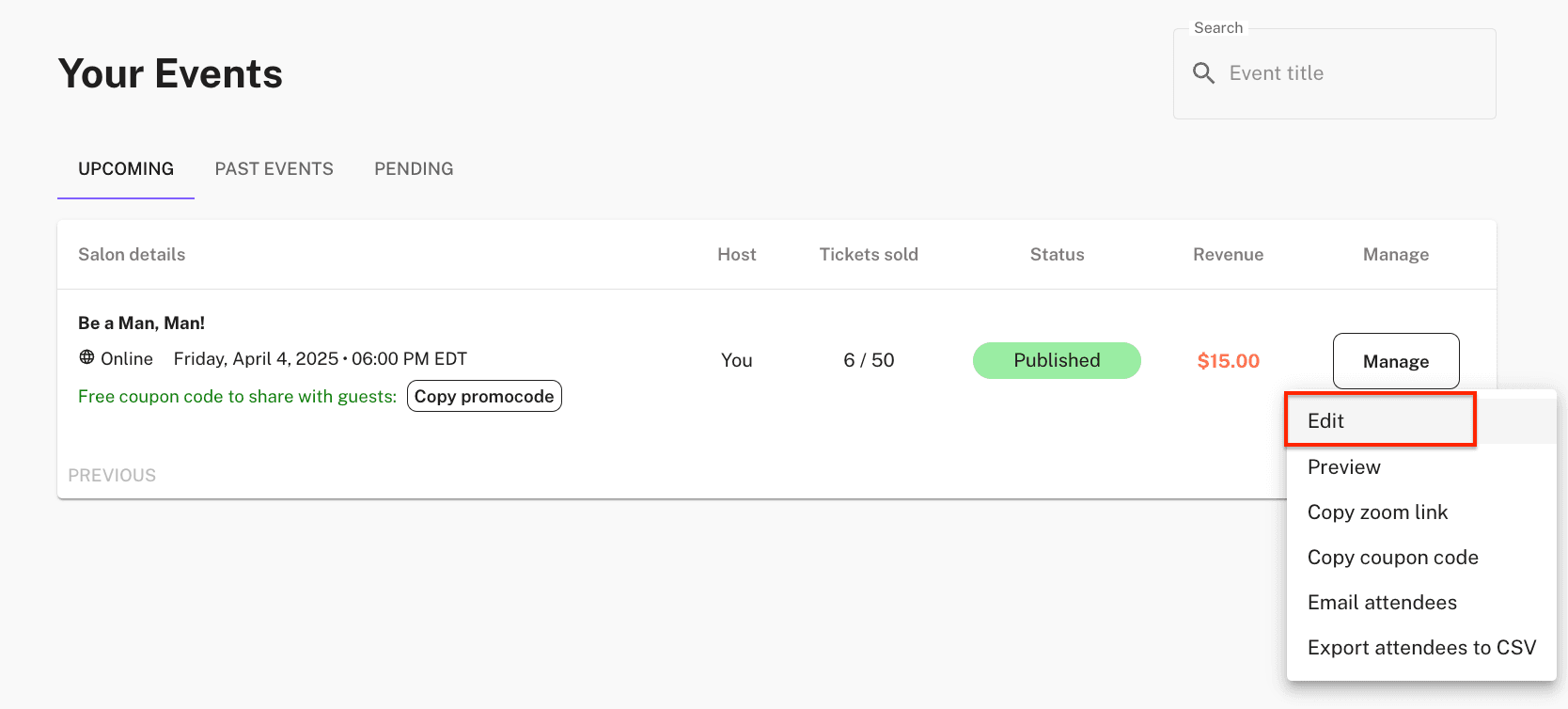
You can edit the date and time of the salon on your Event Dashboard. There's no manual review or approval necessary.
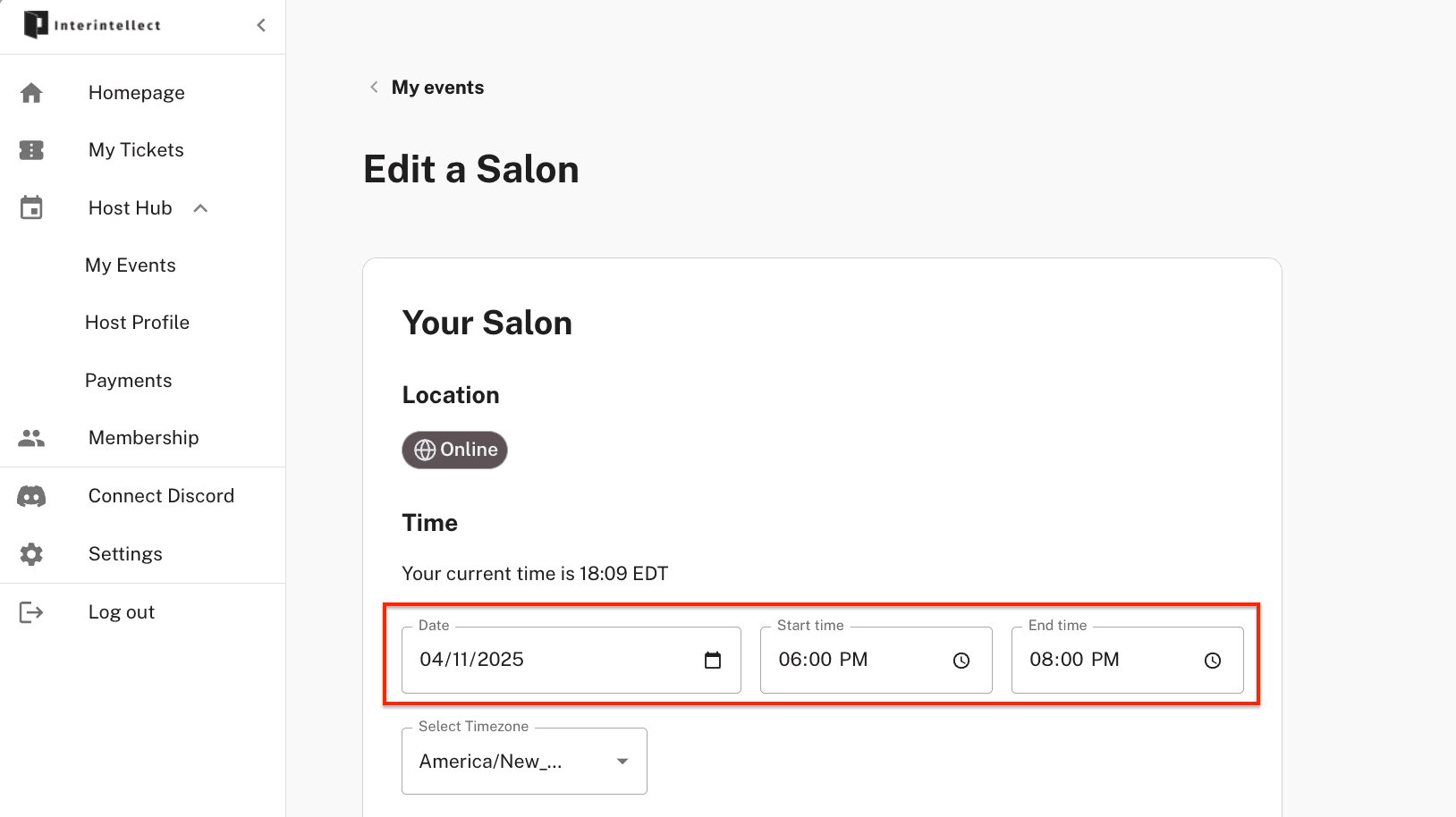
Make sure you hit 'Edit' button at the end of the page, or else your changes won't be saved.

Thinking about rescheduling? Here are a few questions to ask yourself:
Who is your intended audience? If you're aiming for professionals, try scheduling outside of typical work hours.
Are you avoiding major holidays or known slow periods?
If your salon features a special guest, does your new time that works for both of you?
When you update your event, all attendees will be automatically notified via email of the new date/time. There's no further action required on your part.
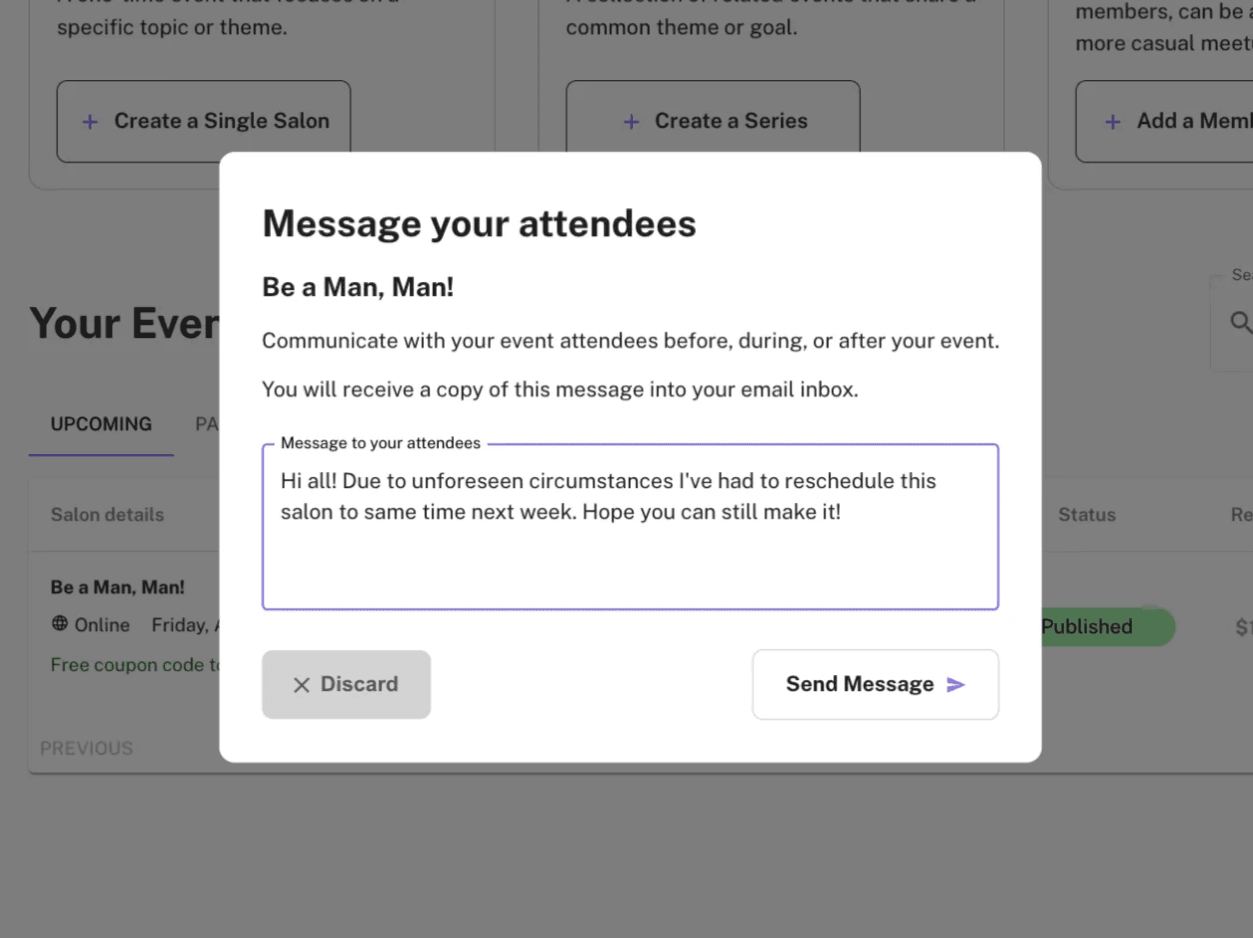
However, you can always reach your RSVPs with a custom message to let them know about the change by using the Email Attendees feature:
You're all set!
Customers are instructed to address inquiries and refund requests to hello@interintellect.com.
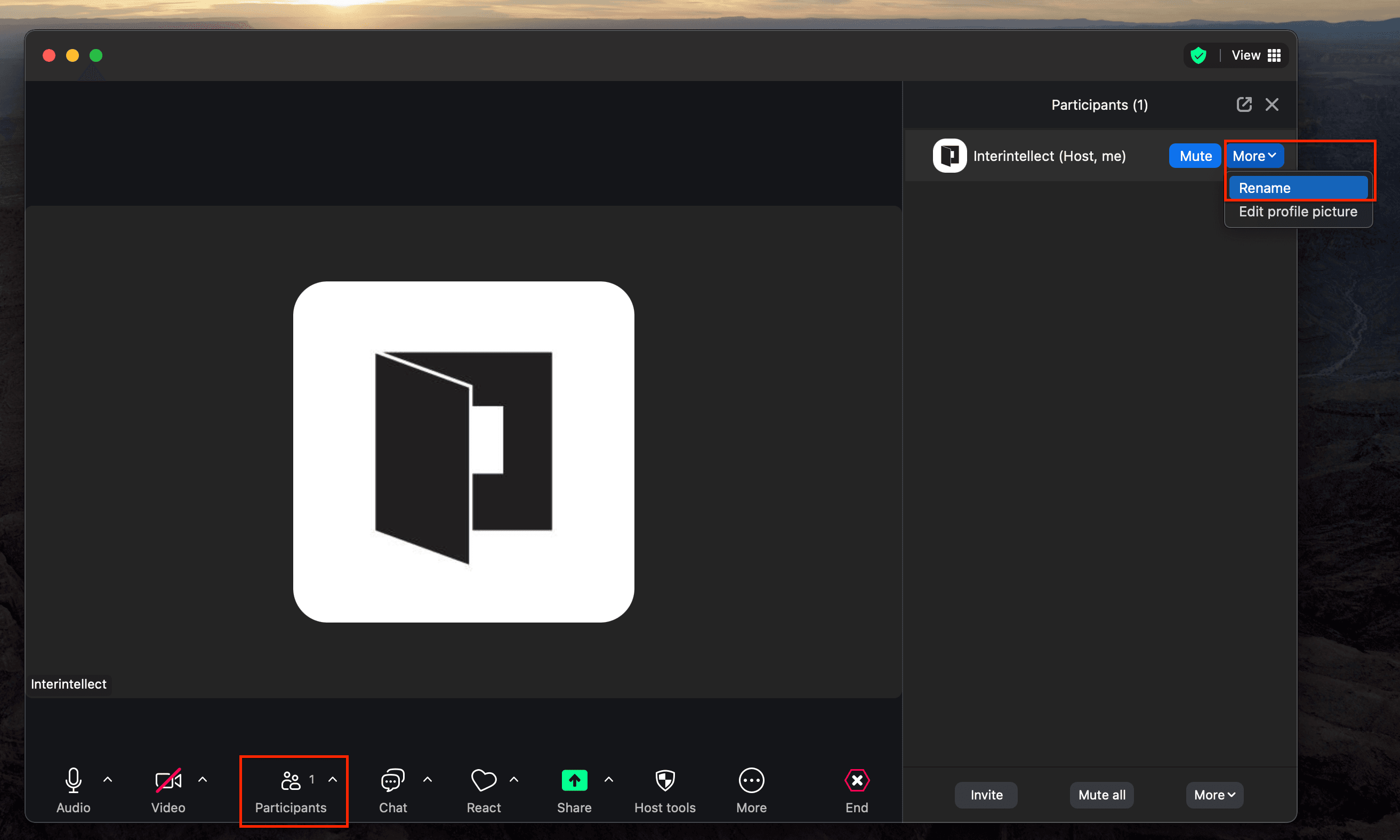
How do I change my name in the Zoom meeting?
How do I start streaming to Interintellect's X from Zoom?
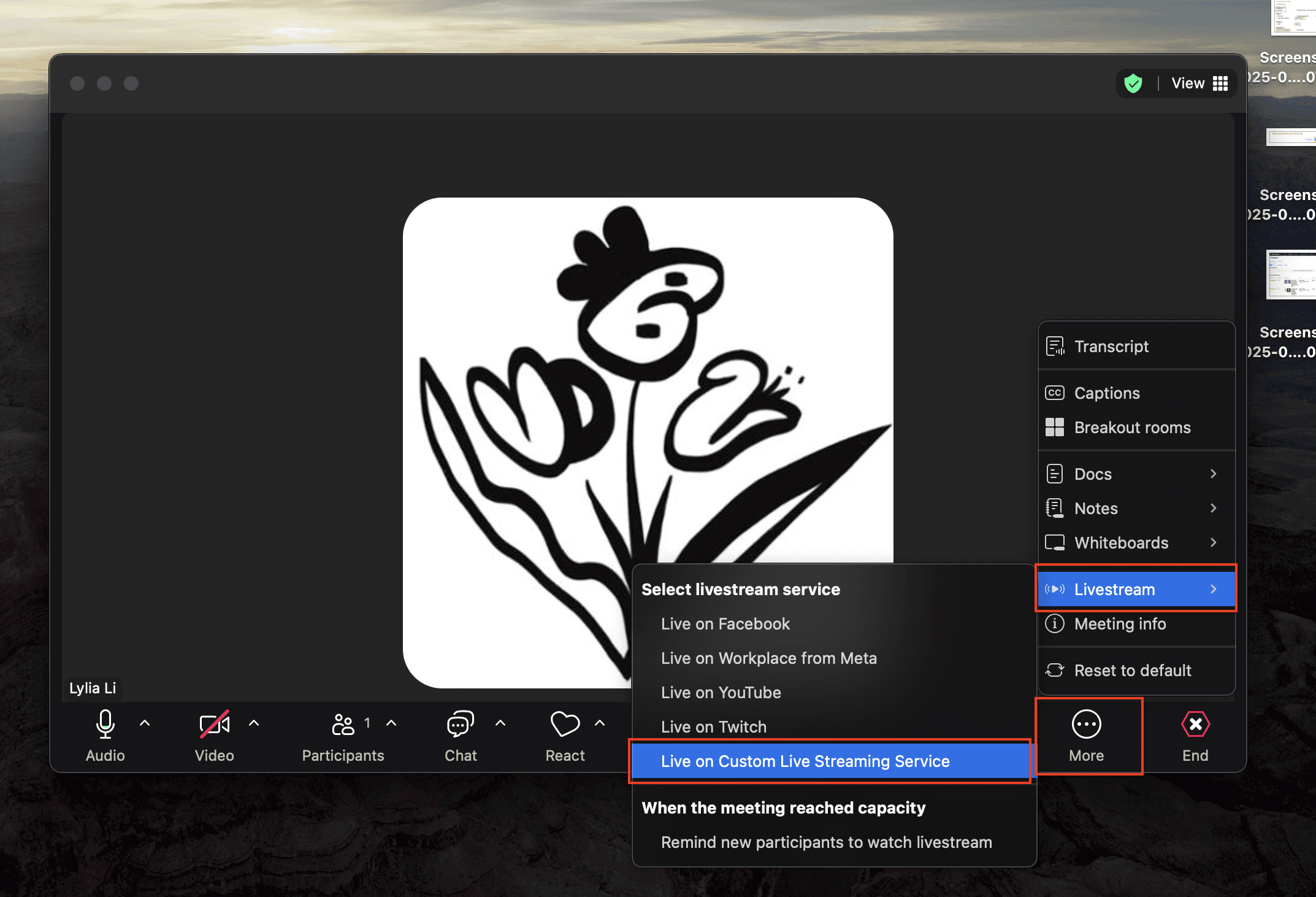
All you have to do is start the stream from Zoom when you're ready to go live:
Do be sure to repost and share on social media when you go live to get more viewers!
Please note that livestream support is only available to beta testers. If you're interested in streaming your salon, reach out to us at hello@interintellect.com.